

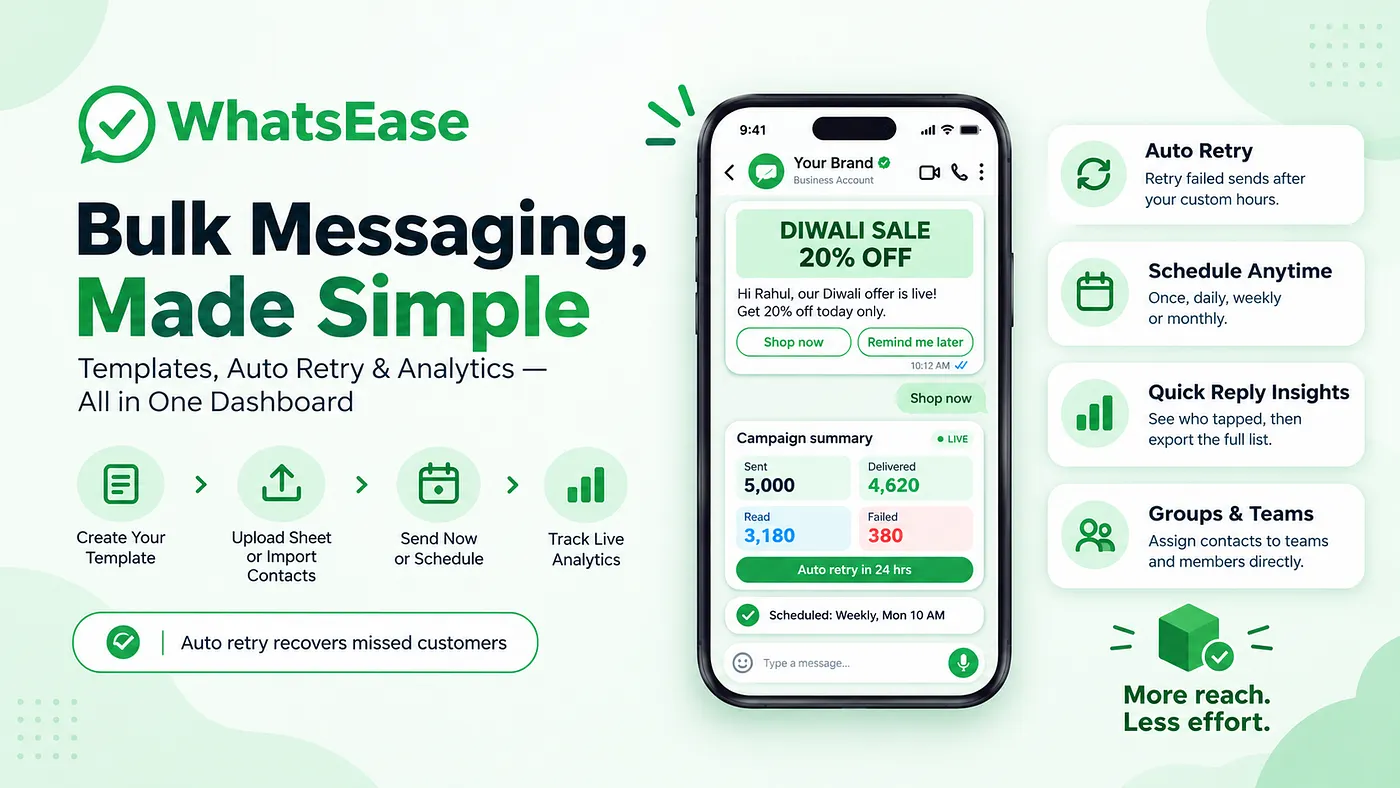
Sending a WhatsApp campaign is easy. Knowing who received it, who read it, who interacted and who needs another attempt is what makes a campaign successful. Here's how WhatsEase makes bulk WhatsApp campaigns trackable and actionable.
You've spent a week planning a campaign. The offer is solid, the template is approved, and the customer list is ready.
You hit send on 5,000 WhatsApp messages and wait.
Then the questions begin.
- How many messages were actually delivered?
- How many customers read them?
- Why did some messages fail?
- Who clicked the quick reply buttons?
- Which customers showed interest?
- Can you retry the messages that weren't delivered?
If you've ever run WhatsApp campaigns at scale, you know this feeling.
Sending is the easy part. Understanding what happened after sending is where the real challenge begins.
Many businesses focus on the number of messages sent, but that number alone tells you very little about campaign performance.
That's exactly the problem WhatsEase Campaigns is designed to solve.
Why Sending 5,000 WhatsApp Messages Isn't Enough
Imagine sending a promotional campaign to 5,000 customers.
Your dashboard says the campaign was sent successfully. But what does that actually mean?
Some customers received the message. Some read it. Some never received it. Others interacted with your message through quick replies.
These are very different outcomes.
A successful WhatsApp campaign should help you understand the entire journey:
- Sent: How many messages were sent?
- Delivered: How many reached the customer's phone?
- Read: How many customers opened the message?
- Failed: How many messages could not be delivered?
- Interactions: Which customers responded or tapped your quick reply buttons?
Without this information, you're essentially running campaigns without knowing what happened to your audience.
Create and Launch Your First WhatsApp Campaign in Three Steps
WhatsEase makes campaign creation straightforward. You don't need developers, complicated configurations or multiple tools.
Step 1: Create Your WhatsApp Message Template
Design your campaign message directly inside WhatsEase.
You can add:
- Message text
- Dynamic variables
- Call-to-action buttons
- Quick reply buttons
- Images and other supported media
Once created, your template becomes reusable for future campaigns.
You don't need to create the message somewhere else and import it into your campaign workflow.
Step 2: Choose Your Audience With or Without a Spreadsheet
Have a customer list ready?
Upload a spreadsheet containing your customers' phone numbers and use it as your campaign audience.
Don't have a spreadsheet?
You can also import contacts directly from your WhatsApp and use them as your audience.
No exporting contacts, cleaning columns or dealing with spreadsheet formatting.
Your existing contacts can become the audience for your next campaign.
Step 3: Send Now or Schedule for Later
Once your template and audience are ready, you can launch your campaign immediately or schedule it for a later time.
WhatsEase also supports recurring campaigns:
- Daily
- Weekly
- Monthly
This is particularly useful for:
- Payment reminders
- Weekly promotional offers
- Subscription renewal notifications
- Regular customer updates
- Recurring engagement campaigns
That's the entire process:
Create your template → Select your audience → Send or schedule.
The Problem Nobody Warns You About: WhatsApp Message Delivery Failures
Here's something many businesses discover only after running campaigns at scale.
Sometimes WhatsApp doesn't deliver a marketing message, even when the template is approved and the recipient's number is valid.
You may encounter the following error:
"This message was not delivered to maintain healthy ecosystem engagement."
What does it mean?
WhatsApp uses messaging limits to protect the customer experience and maintain healthy ecosystem engagement.
A customer may have reached the limit of marketing messages they can receive during a particular period.
This doesn't necessarily mean:
- Your WhatsApp number is bad.
- Your template is incorrect.
- The customer's phone number is invalid.
The message may simply have been blocked because of the recipient's marketing message limit at that moment.
For businesses running large campaigns, this creates a frustrating situation.
You've prepared your audience, allocated your campaign budget and initiated delivery, but some customers never receive the message.
On many platforms, identifying and retrying these contacts can become a manual process.
Auto Retry: Give Failed Marketing Messages a Second Chance
WhatsEase includes an Auto Retry feature that helps businesses retry eligible messages blocked by WhatsApp's marketing message limits.
Instead of manually identifying failed contacts and uploading them again, you can configure a custom retry interval.
For example:
- Wait 6 hours before retrying.
- Wait 24 hours before retrying.
- Configure another suitable interval for your campaign.
Once the configured waiting period passes, WhatsEase automatically retries eligible contacts.
You don't need to:
- Re-upload your spreadsheet.
- Manually filter failed numbers.
- Create another campaign.
- Ask your team to repeat the process.
The platform handles the retry workflow in the background.
Intelligent Retry: Don't Waste Attempts on Numbers Not on WhatsApp
Not every phone number in your customer database necessarily has a WhatsApp account.
That's normal, especially when businesses maintain large contact lists.
WhatsEase handles this distinction during Auto Retry:
- Numbers that are not registered on WhatsApp are excluded from subsequent retries.
- Only eligible contacts who can receive the message are considered for retry.
This helps keep retry attempts focused on contacts where another delivery attempt can actually work.
WhatsApp Campaign Analytics You Can Understand in Five Seconds
A campaign without analytics is just a guess.
WhatsEase provides a campaign dashboard that helps you understand what happened after sending.
You can track four important delivery metrics.
1. Sent Messages
The total number of messages sent as part of your campaign.
2. Delivered Messages
The number of messages successfully delivered to customers' phones.
3. Read Messages
The number of messages marked as read.
This gives you a better understanding of customer attention and engagement.
4. Failed Messages
The number of messages that could not be delivered.
This helps you identify delivery issues and understand where retry or audience improvements may be needed.
Instead of looking at one large sent number, you get a clearer picture of campaign performance.
You can use these insights to improve your next campaign's audience, timing and messaging.
Reads Show Attention. Quick Replies Show Intent.
Here's where campaign analytics becomes even more useful.
A customer reading your message doesn't necessarily mean they're interested.
But when someone taps a quick reply button, they're actively interacting with your campaign.
For example, imagine sending a campaign with these quick reply options:
- I'm Interested
- Know More
- Contact Sales
WhatsEase tracks these interactions so you can understand who responded and which option they selected.
You can also export this interaction data.
This allows your team to:
- Follow up with customers who showed interest.
- Identify people who requested more information.
- Build audience segments based on responses.
- Pass warm leads directly to your sales team.
Anyone can count how many people opened a message. Knowing who raised their hand is what turns a campaign into a sales opportunity.
Built for Teams, Not Just Individuals
Real businesses don't operate through a single WhatsApp user.
They have sales teams, support teams, regional teams and different people responsible for different customer segments.
WhatsEase allows businesses to organize contacts into groups and teams and assign them to individual team members.
For example:
A business can organize customers by:
- City or region
- Product category
- Customer type
- Sales segment
- Business department
It can then assign responsibility for those contacts to the relevant team or individual.
When customers respond to campaigns, your team has a more organized way to manage those interactions.
This becomes especially valuable when hundreds of customers respond to a campaign simultaneously.
Before and After: What Changes With WhatsEase?
| Traditional campaign workflow | With WhatsEase |
|---|---|
| Manually build and clean spreadsheets | Upload a sheet or import WhatsApp contacts |
| Failed messages are manually handled | Automatic retry for eligible contacts |
| Retry lists are prepared manually | Configurable Auto Retry |
| No clear delivery visibility | Sent, delivered, read and failed analytics |
| No clear view of customer interactions | Quick reply tracking and export |
| Contacts are difficult to organize | Groups, teams and member assignment |
The difference isn't just about sending messages faster.
It's about understanding what happened, identifying interested customers and making the next action easier.
Ready to Run Smarter WhatsApp Campaigns?
Your customers are already on WhatsApp.
The question is whether you can reach them effectively, understand what happened after sending and follow up with the right people.
With WhatsEase Campaigns, you can:
- Create reusable WhatsApp message templates.
- Upload spreadsheets or import WhatsApp contacts.
- Launch campaigns immediately or schedule them.
- Configure recurring campaigns.
- Automatically retry eligible failed marketing messages.
- Track sent, delivered, read and failed messages.
- Monitor quick reply interactions.
- Export engagement data.
- Organize contacts into groups and teams.
- Assign contacts to individual team members.
You don't just send a campaign and hope for the best.
You get the information needed to make your next campaign smarter.
Explore WhatsEase and turn your WhatsApp campaigns into something trackable, actionable and easier to manage.
About WhatsEase
WhatsEase is a WhatsApp conversational commerce and CRM platform that helps businesses manage customer conversations, automate workflows, run campaigns, capture leads and scale customer engagement on WhatsApp.